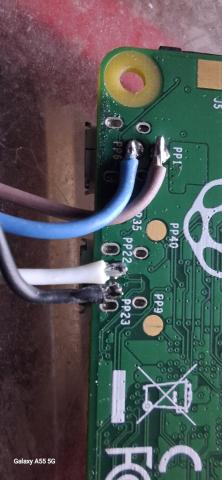
Dual Pi Zero USB Gadget Interfaces with Static IP & /30 Routing
When using multiple Raspberry Pi Zero devices via USB gadget Ethernet (g_ether), each device shows up on the host as its own isolated Ethernet interface. These are point-to-point links and each must be configured with its own subnet or precise route.
✅ Overview: My Setup
- Subnet mask:
255.255.255.252(/30) for precise point-to-point routing - Two Pi Zeros connected via USB:
| Interface | Host IP | Pi IP | Subnet |
|---|---|---|---|
| enxbe2fea22f916 | 192.168.7.1 | 192.168.7.2 | 192.168.7.0/30 |
| enxb21f48a9110b | 192.168.7.3 | 192.168.7.4 | 192.168.7.2/30 |
🧪 Step 1: Test Configuration Manually
Assign IPs:
sudo ip addr add 192.168.7.1/30 dev enxbe2fea22f916
sudo ip addr add 192.168.7.3/30 dev enxb21f48a9110b
Add routes to reach each Pi:
sudo ip route add 192.168.7.2 dev enxbe2fea22f916
sudo ip route add 192.168.7.4 dev enxb21f48a9110b
Restart interfaces (if needed):
sudo ip link set enxbe2fea22f916 down
sudo ip link set enxbe2fea22f916 up

sudo ip link set enxb21f48a9110b down
sudo ip link set enxb21f48a9110b up
Once configured, ping and ssh should work for both devices.
🧷 Step 2: Make It Permanent
If you're using ifupdown (common in legacy Debian installs):
Create 2 config files:
# /etc/network/interfaces.d/enxbe2fea22f916
auto enxbe2fea22f916
iface enxbe2fea22f916 inet static
  address 192.168.7.1
  netmask 255.255.255.252
  up ip route add 192.168.7.2 dev enxbe2fea22f916
# /etc/network/interfaces.d/enxb21f48a9110b
auto enxb21f48a9110b
iface enxb21f48a9110b inet static
  address 192.168.7.3
  netmask 255.255.255.252
  up ip route add 192.168.7.4 dev enxb21f48a9110b
Reload and bring interfaces up:
sudo ifdown enxbe2fea22f916 || true
sudo ifup enxbe2fea22f916

sudo ifdown enxb21f48a9110b || true
sudo ifup enxb21f48a9110b
📘 Understanding /30 (CIDR 255.255.255.252)
A /30 subnet provides exactly 4 IP addresses:
- 1 network address
- 2 usable host IPs
- 1 broadcast address
This is perfect for a direct USB connection between two devices:
192.168.7.0/30
→ Usable: 192.168.7.1 (host), 192.168.7.2 (Pi)

192.168.7.2/30
→ Usable: 192.168.7.3 (host), 192.168.7.4 (Pi)
Trying to route an entire /24 through one USB gadget interface won’t work — each one is a point-to-point pipe and must be treated as such.
🛠️ Optional: udev & Custom Naming
For easier automation, create a udev rule to rename interfaces:
# /etc/udev/rules.d/99-usbgadget.rules
SUBSYSTEM=="net", ACTION=="add", ATTR{address}=="be:2f:ea:22:f9:16", NAME="piusb0"
SUBSYSTEM=="net", ACTION=="add", ATTR{address}=="b2:1f:48:a9:11:0b", NAME="piusb1"
Then update your interface files to match piusb0 and piusb1.
✅ Summary
- Each USB gadget device must use its own
/30subnet - One route per interface
- Manual configuration works, but persistent config via
/etc/network/interfaces.d/is cleaner - Use udev to simplify naming and avoid renaming issues after reboots
Triple “5” Farms Tech Division — precision USB networking, one Pi at a time.
Field Notes and Search Focus
We keep this guide practical for folks running real farms. The focus here is homestead automation and farm technology, with clear steps and neighbor-tested lessons from day-to-day work. 🌱
Related Topics We Cover
farm automation setup, rural network reliability, sensor deployment, camera uptime planning, off grid farm tech.
Questions Folks Ask Us
- how to automate daily farm tasks with low cost hardware
- best networking design for large rural properties
- how to keep farm cameras online in harsh weather
- step by step farm sensor network setup
- how to scale farm tech without enterprise budgets
Related Farm Guides
- See our guide on Tl
- See our guide on Smba
- See our guide on Mcpm
- Read the full cornerstone guide for this topic cluster
FAQ
How to automate daily farm tasks with low cost hardware?
Start with a phased setup, validate in field conditions, and document maintenance as you go. That approach keeps homestead automation and farm technology reliable and easier to scale.
Best networking design for large rural properties?
Start with a phased setup, validate in field conditions, and document maintenance as you go. That approach keeps homestead automation and farm technology reliable and easier to scale.
How to keep farm cameras online in harsh weather?
Start with a phased setup, validate in field conditions, and document maintenance as you go. That approach keeps homestead automation and farm technology reliable and easier to scale.
Step by step farm sensor network setup?
Start with a phased setup, validate in field conditions, and document maintenance as you go. That approach keeps homestead automation and farm technology reliable and easier to scale.
How to scale farm tech without enterprise budgets?
Start with a phased setup, validate in field conditions, and document maintenance as you go. That approach keeps homestead automation and farm technology reliable and easier to scale.
How much should we budget before starting?
Use phased budgeting with a contingency buffer. Focus first on reliability, then optimize performance after baseline stability is proven.